← Alwin Philip · Portfolio
LeanJobOS · walkthrough

A job search that fills the forms for you and waits for your yes.

LeanJobOS finds roles that fit, prepares each application, and fills it in Chrome on your laptop while you watch from your phone. Nothing is sent without you.

Personal project · in active development Fills in your laptop's Chrome, 3 at a time LinkedIn + Indeed each morning, free US only · entry to 3 years

Screens are from my own running copy, captured 28 September 2026. Company names and counts from my real job search are blurred; "Acme Robotics" is a stand-in.

How it fits together

Three parts: the server, your laptop, your phone

The server runs all the time and holds everything. A small program on each laptop — the worker — is the only part that touches application forms. It asks the server for work, opens a Chrome tab per application and reports every step back, so you can follow along anywhere.

flowchart LR
  P[Your phone / browser] -->|site password| S[Server
database · job search · AI] S -->|jobs twice a day| B[Company job boards
and careers portals] S -->|each morning| L[LinkedIn · Indeed
via Apify, logged out] W[Worker on your laptop] -->|asks for work, reports back| S W --> C[LeanJobOS Chrome
a tab per application] C --> F[Employer's form
Workday · Greenhouse · Lever · Ashby]
FoundFrom the companies you watch, LinkedIn and Indeed, or a link you add.
MatchedScored against your résumé; US only, your level, your kinds of work.
PreparedTailored résumé, answers, a cover letter only if the form asks.
FilledIn your laptop's Chrome, page by page, while you watch.
AppliedMarked the moment the confirmation shows — or when you say so.
The screens

A tour of the app

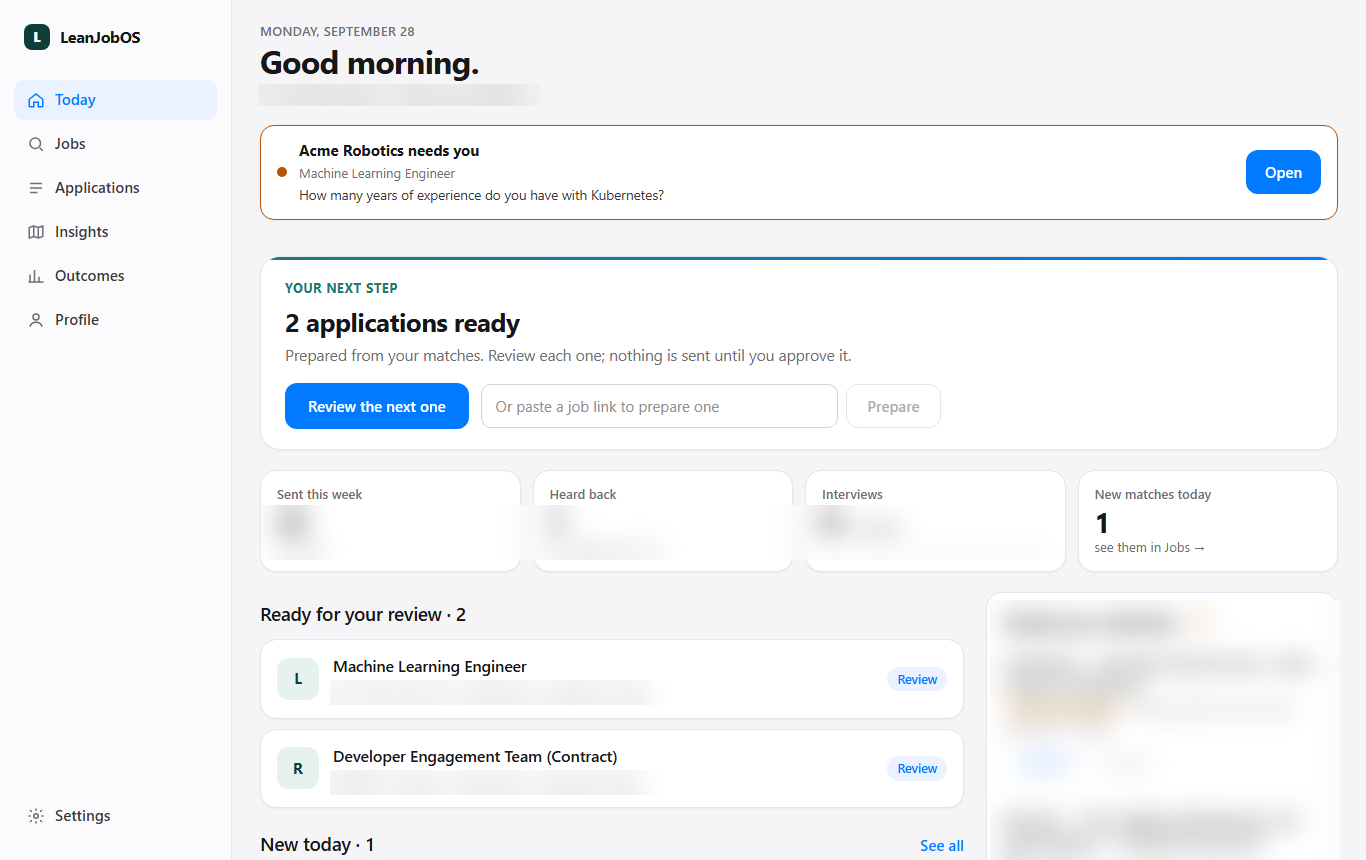
Today: an application needing you at the top, then the next step, this week's numbers and new matches
Today

What needs you, then what's next

  • An application that needs you is one line with Open — the details live on its own page.
  • Your next step: drafts ready for review, or new matches.
  • Applying now, with Watch & chat, Stop and Stop all.
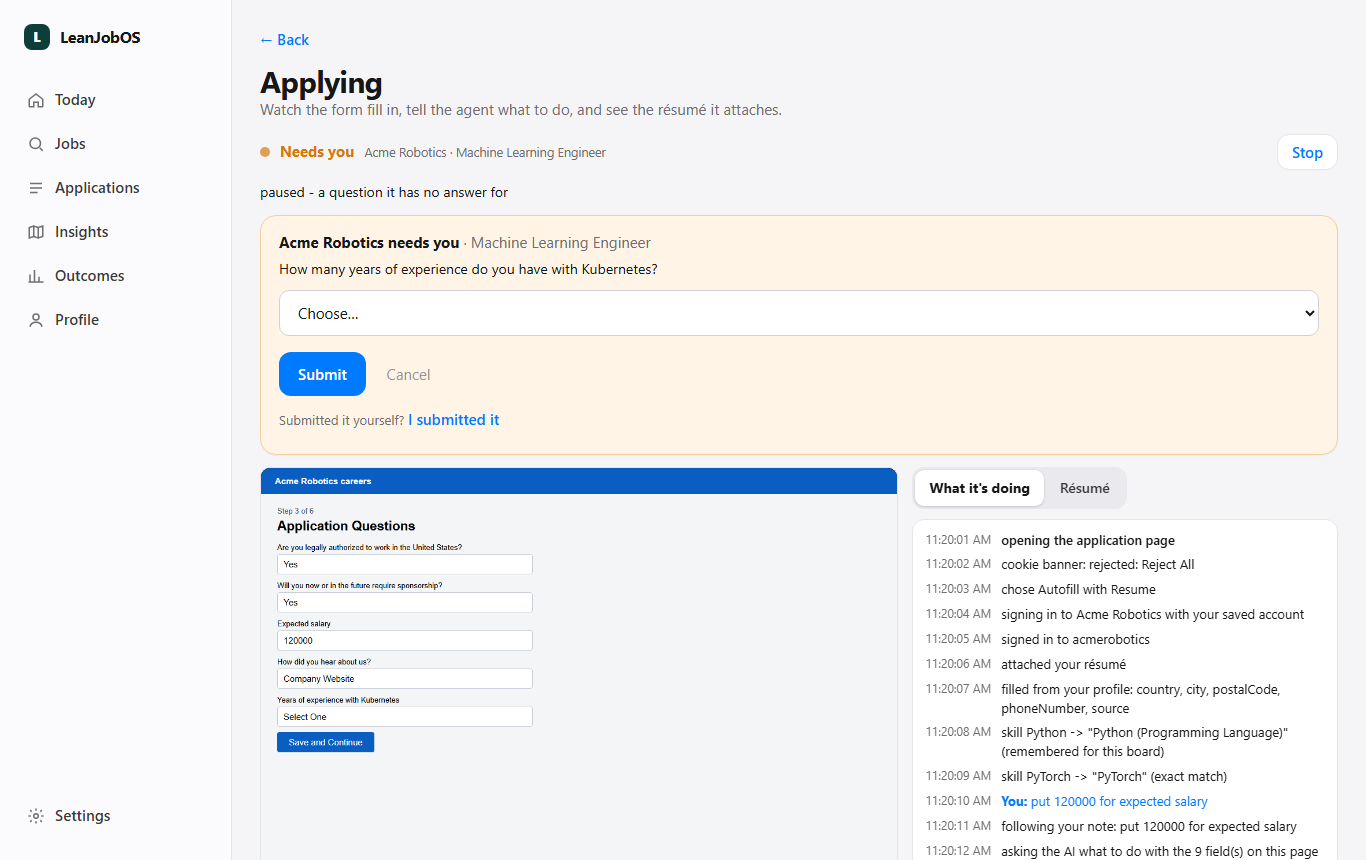
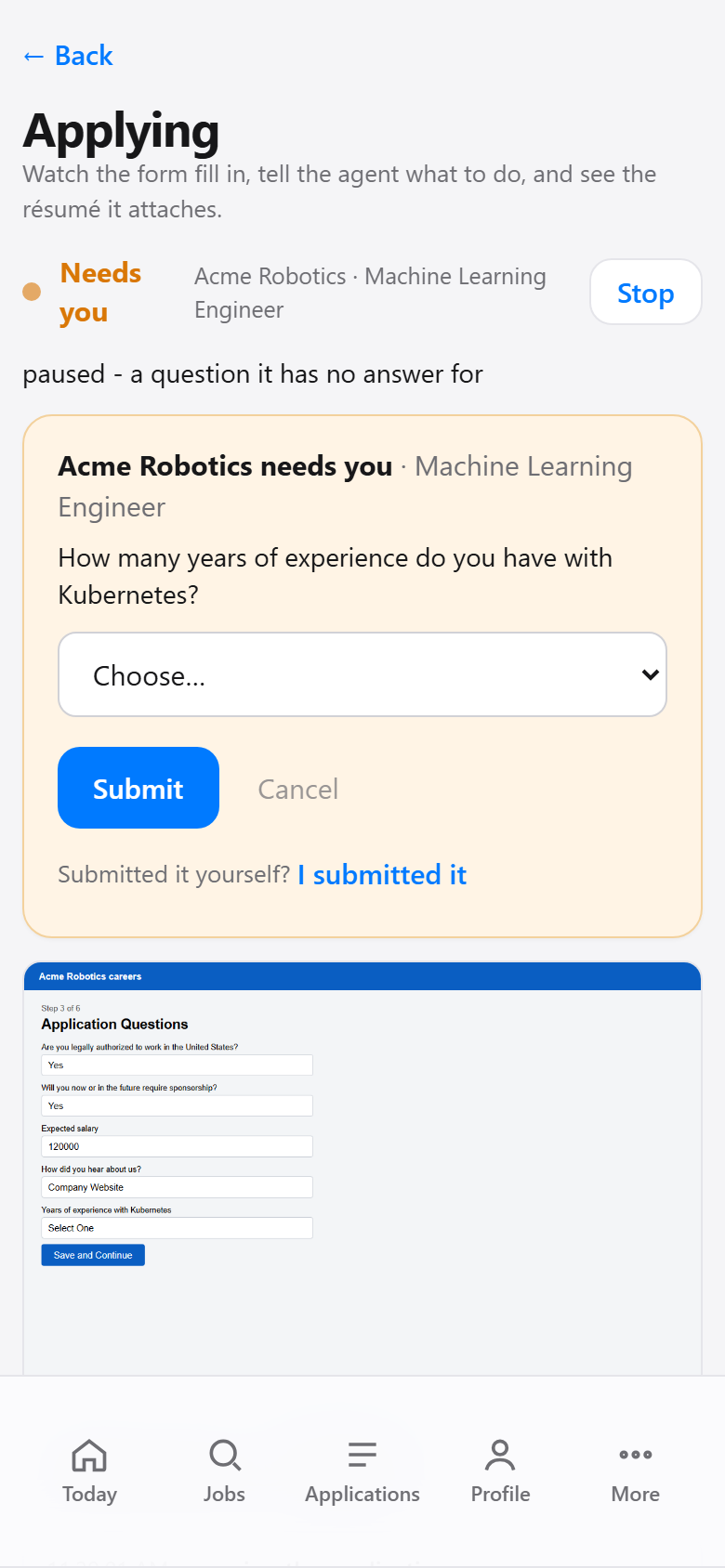
The live application page: the question it needs answered, the live form, and What it's doing with the chat
/runs/<id> — the live application

Watch it fill, answer it, talk to it

  • What it needs from you is at the top: answer the question, tap Ready, or say I submitted it.
  • The laptop's screen, every two seconds.
  • What it's doing step by step, and a chat box: "put 120000 for salary". Tick Remember for this site to keep it.
  • The Résumé tab shows the exact file being attached.
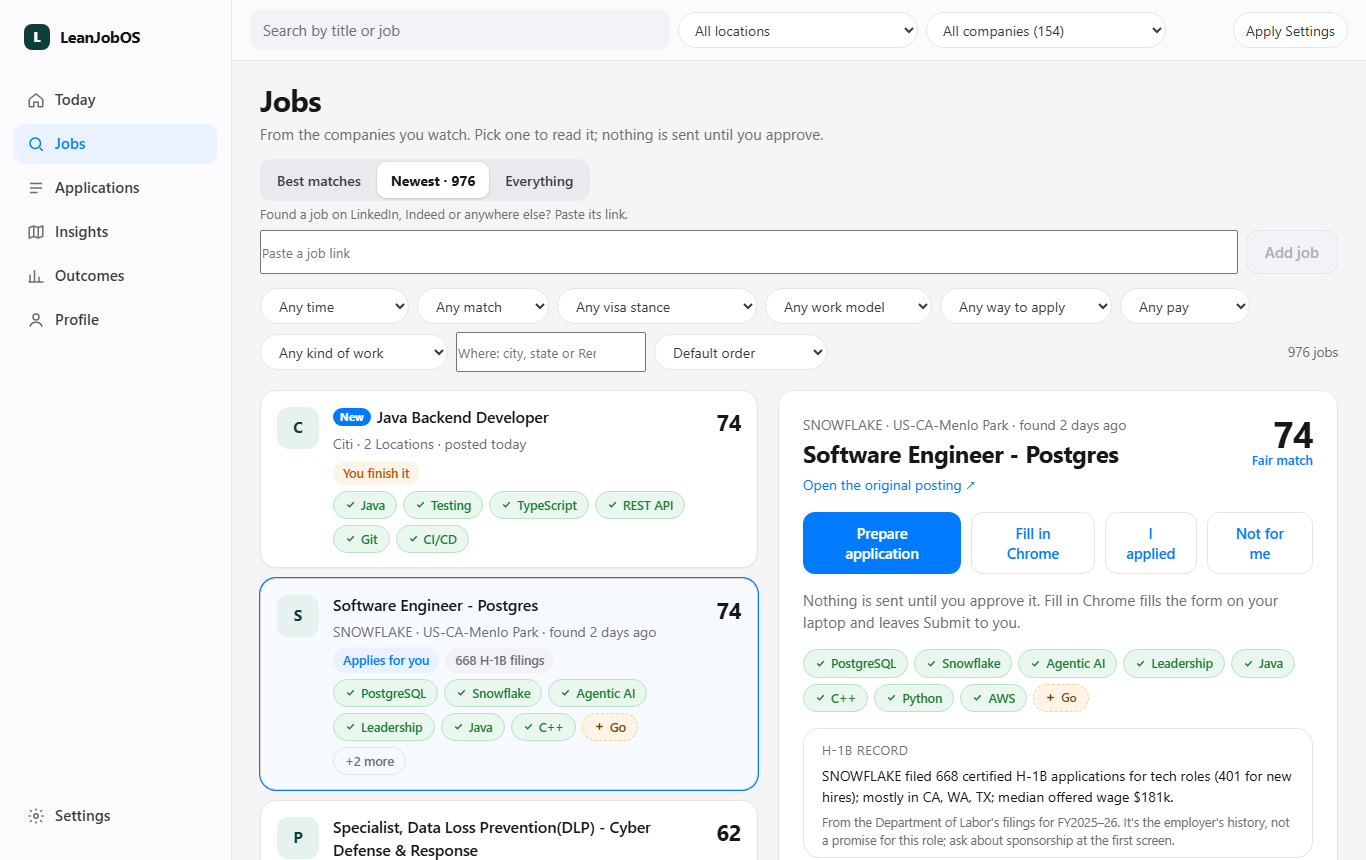
Jobs: filters including Where, a list with New badges and scores, and the selected job with Prepare, Fill in Chrome and I applied
Jobs

Your matches, newest first

  • Jobs found in the last day are marked New; each has a match score and the skills you have or lack.
  • Filter by Where (a city, a state, Remote), pay, visa stance, kind of work.
  • Prepare application to review and send, or Fill in Chrome to have it filled and submit it yourself.
  • Paste any job link at the top — LinkedIn and Indeed jobs are looked up on the company's own site.
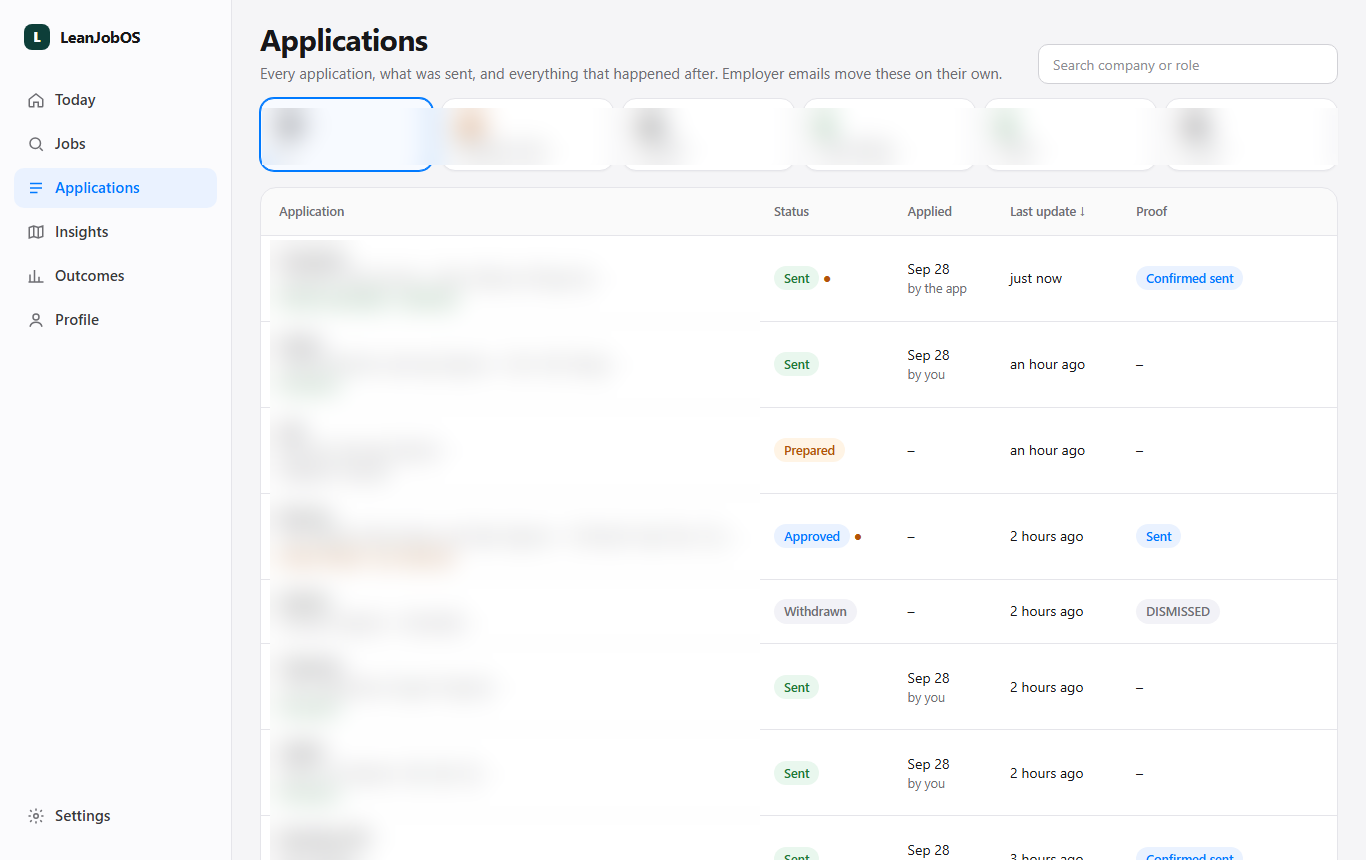
Applications: counts by stage and a table of every application with status and proof
Applications

Everything you sent, and what came back

  • Every application with its status, when it went and the proof.
  • Employer emails move them along on their own: acknowledged, interview, offer, rejected.
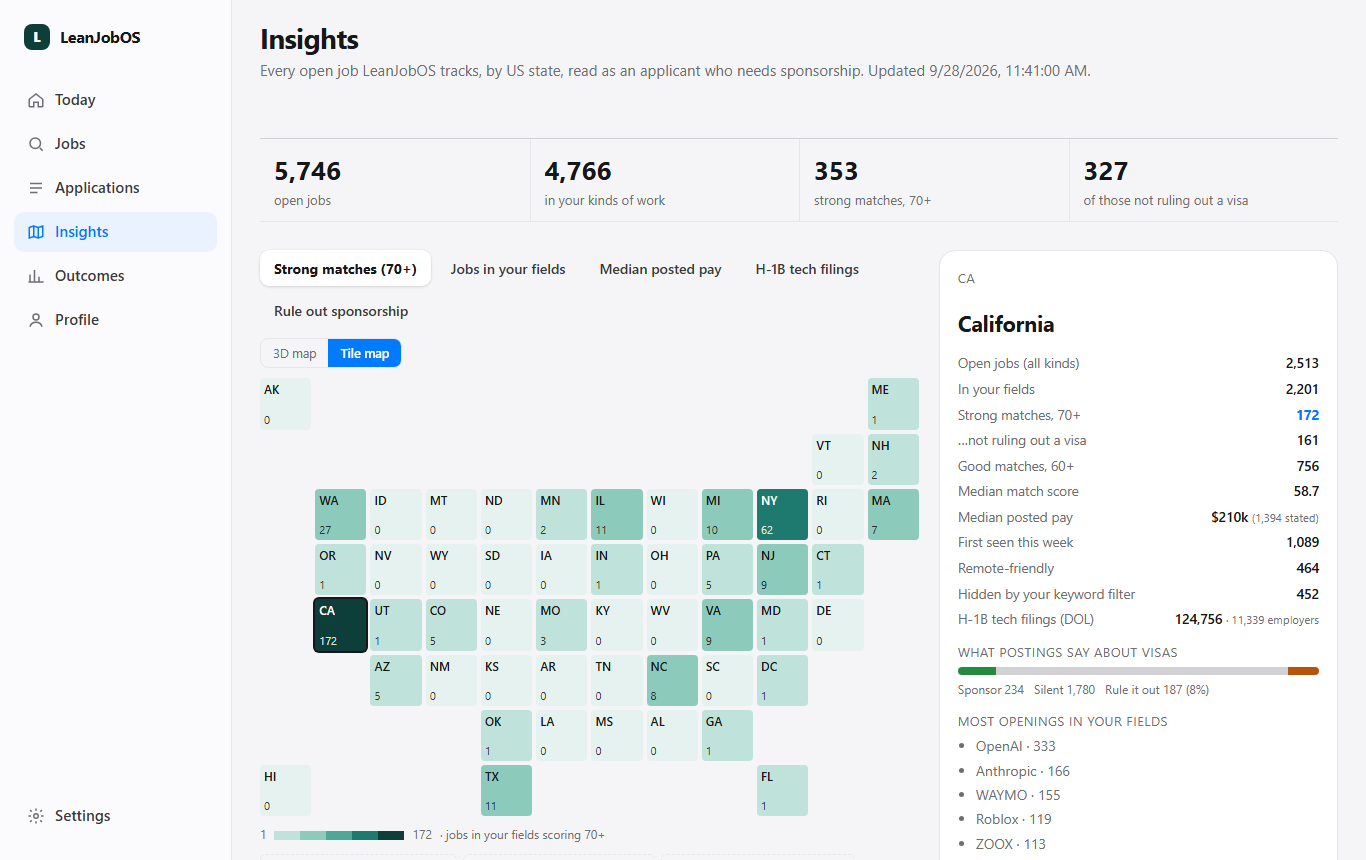
Insights: a tile map of US states shaded by strong matches, with California's figures
Insights

Where the jobs are

  • Open jobs by state: strong matches, median posted pay, H-1B filings, postings that rule out a visa.
  • Which companies have the most openings in your fields.
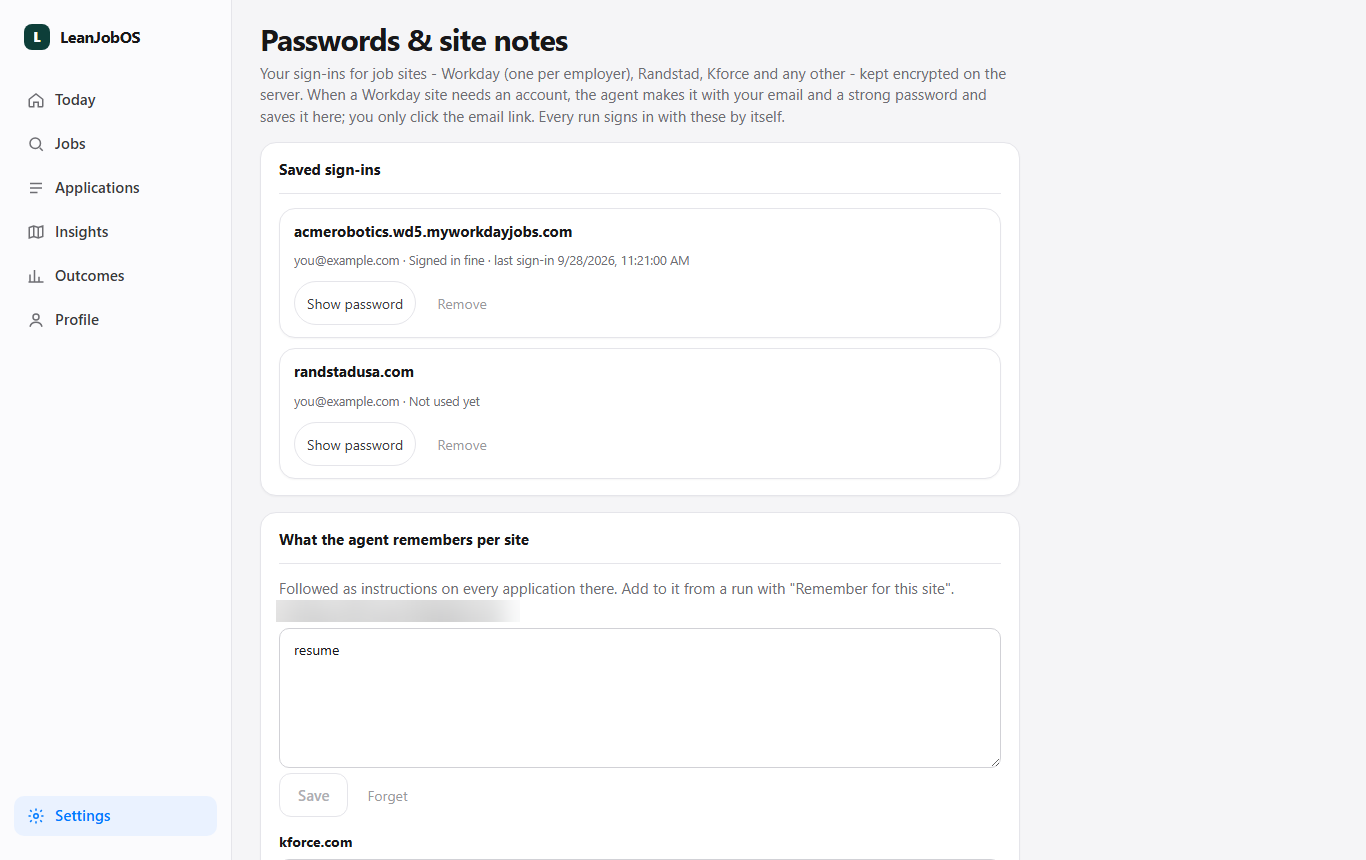
Passwords and site notes: saved sign-ins with Show password, and notes the agent follows per site
Settings → Passwords & site notes

Sign-ins it uses, notes it follows

  • Sign-ins for Workday, Randstad, Kforce and any site, encrypted on the server.
  • For Workday it makes the account itself and saves the password here; you only click the email link.
  • Notes per site that every application there follows. (Sign-ins shown are examples.)
On the phone

The same app in your pocket

Add it to your home screen. A notification tells you when an application needs you; tapping it opens that application's live page.
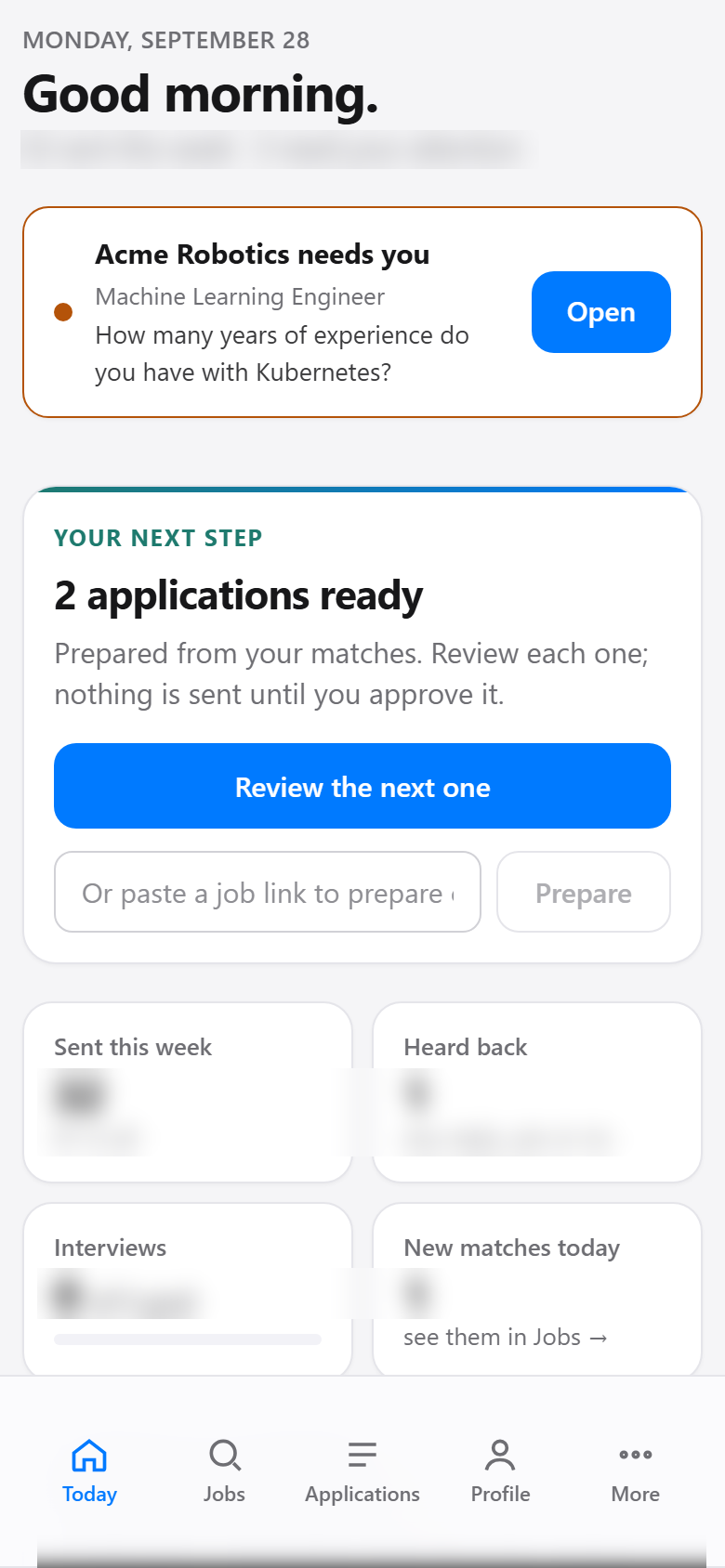
Today on a phone
The live application page on a phone
Always

The rules it keeps

Nothing sent without youYou approve, or it stops at Submit.
Nothing inventedAnswers come from your résumé, profile and saved answers.
Cookies: the minimumReject all or necessary only — never accept all.
Self-ID: yours, then reviewFilled from your saved answers; you check before it sends.
Your accounts stay yoursNo bot logs into LinkedIn or Indeed.
Free stays freeApify's usage is checked before every search.